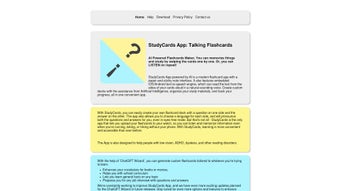

Download StudyCards – Free Talking Flashcards App for Better Learning
Introduction: Why Modern Learners Need an Auditory Edge
In today’s fast‑paced education landscape, students and professionals alike are searching for tools that go beyond simple text memorization. Traditional flashcards have long been a staple, yet they often fall short for auditory learners who retain information better when they hear it. This is where StudyCards steps in, offering a web‑based solution that blends visual cues with natural‑sounding speech.
By converting every card into clear audio, the platform creates a dual‑modal study experience that strengthens neural pathways and improves long‑term recall. Because the service runs entirely in a browser, there is no need for bulky installations, and users can switch seamlessly between a desktop, tablet, or smartphone without losing progress. The app’s free core tier removes financial barriers, while optional premium voice packs give power users an extra layer of polish.
Whether you’re preparing for a high‑school exam, mastering medical terminology, or brushing up on a new language, StudyCards provides a secure, constantly updated environment that adapts to a variety of learning styles. This introduction sets the stage for a deeper dive into the app’s key features, easy setup process, cross‑platform compatibility, and the pros and cons that real users have reported.
What Is StudyCards? Overview and Core Features
StudyCards is a cloud‑driven flashcard creator that adds spoken audio to every card you build. The platform’s intuitive interface lets you type a term, add a definition, and instantly generate a synthetic voice reading of the answer. This “talking flashcard” approach supports auditory reinforcement, making it ideal for language learners, exam candidates, and anyone who benefits from hearing information as they study. The web app is built with modern JavaScript frameworks, ensuring smooth performance on any device that can run a browser. Security is baked in through SSL encryption and encrypted cloud storage, so your decks remain private and accessible only to you.
- Talking Flashcards: Automatic text‑to‑speech conversion for each card.
- Custom Deck Creation: Add images, tags, and organize cards into folders.
- Multi‑Language Support: Over 20 languages with selectable accents.
- Cross‑Platform Access: Works on Windows, macOS, Linux, Android, and iOS browsers.
- Voice Variety: Choose from male, female, and regional voices; premium packs add higher fidelity.
- Progress Analytics: Visual dashboards track mastery and review cycles.
- Collaboration Tools: Share decks via public links or export as JSON.
- Secure Cloud Sync: Real‑time backup keeps decks safe across devices.
- Offline Mode (Beta): Download decks for study without an internet connection.
- Free Core Functionality: No charge for creating decks, audio, and syncing; premium adds extra voice packs.
Installation, Setup, and Compatibility – Getting Started in Minutes
Because StudyCards is a browser‑based application, there is no traditional installation process. All you need is a modern web browser with JavaScript enabled—Chrome, Firefox, Edge, or Safari work perfectly on Windows 10/11, macOS Catalina or later, most Linux distributions, Android 8.0+, and iOS 13+. This universal compatibility eliminates the hassle of downloading separate executables for each platform.
To begin, open your preferred browser and navigate to www.studycards.com. The landing page loads instantly, presenting a prominent “Create New Deck” button. You may sign up with an email address or use a Google/Facebook single‑sign‑on for quick cloud sync.
Once logged in, click “Create New Deck,” name your collection (e.g., “Biology Terms – Chapter 5”), and select the language for audio synthesis. Adding cards is straightforward: type the term on the front side, enter the definition or translation on the back, optionally upload an image, and toggle the “Speak” switch to generate audio. A preview button lets you fine‑tune speech speed and voice selection.
After building your deck, click “Study” to enter the learning mode. The app presents cards one by one, automatically speaking the answer after you reveal it. You can mark each card as “Known” or “Review” to guide future sessions.
All study data—completion rates, response times, and mastery levels—are displayed in the “Analytics” tab, giving you actionable insights into your learning progress. If you need to collaborate, simply share the generated link or export the deck as a JSON file for use in other flashcard tools. Should you encounter any issues, the built‑in Help widget connects you to live chat support for real‑time assistance.
Pros, Cons, and Frequently Asked Questions
Pros
- Free core features make it accessible to students on any budget.
- Audio output adds an auditory learning dimension that improves retention.
- Multi‑language voice synthesis supports learners worldwide.
- No installation required; works directly in the browser.
- Secure cloud sync ensures decks are backed up and available on all devices.
- Detailed analytics help focus study time on weak areas.
- Easy sharing and collaboration foster group study sessions.
Cons
- Full functionality depends on a stable internet connection; offline mode is still beta.
- Premium voice packs carry an additional cost for higher‑quality audio.
- Large decks with many high‑resolution images may load slower on older browsers.
- Interface theme customization is limited to the default design.
StudyCards earns a solid 4.5 out of 5 stars. Its innovative talking flashcard feature, seamless cross‑platform support, and generous free tier make it a standout educational tool. While reliance on internet connectivity can be a drawback, the upcoming offline enhancements promise to broaden its usability.
Frequently Asked Questions
Is StudyCards completely free?
The core features—including deck creation, audio generation, and cloud sync—are free. A premium subscription unlocks advanced voice packs, higher‑quality audio, and priority support.
Do I need to download any software?
No. StudyCards runs entirely in a modern web browser, so there is nothing to install on your device.
Can I use StudyCards on mobile devices?
Absolutely. The responsive design works on Android and iOS browsers, giving you the same experience on phones or tablets as on a desktop.
How secure is my data?
All data transfers use SSL encryption, and decks are stored in encrypted cloud storage. Login credentials are hashed and never shared with third parties.
Can I export my decks for offline use?
Yes. Decks can be exported as JSON files, which can later be re‑imported into StudyCards or used with compatible flashcard applications.
Conclusion – Start Your Interactive Learning Journey Today
StudyCards redefines the classic flashcard method by adding a spoken dimension that caters to auditory learners and boosts overall retention. Its free entry point, multilingual voice synthesis, and cloud‑based convenience lower the barrier to effective study habits, while the optional premium tier offers extra polish for power users. With seamless compatibility across Windows, macOS, Linux, Android, and iOS browsers, you can study wherever you are without juggling separate installations. Although a reliable internet connection is recommended for the full feature set, the upcoming offline improvements promise greater flexibility in the near future. If you’re ready to transform rote memorization into an engaging, spoken experience, click the button below to launch StudyCards in your browser and begin building personalized talking flashcards right now.



.png)



